
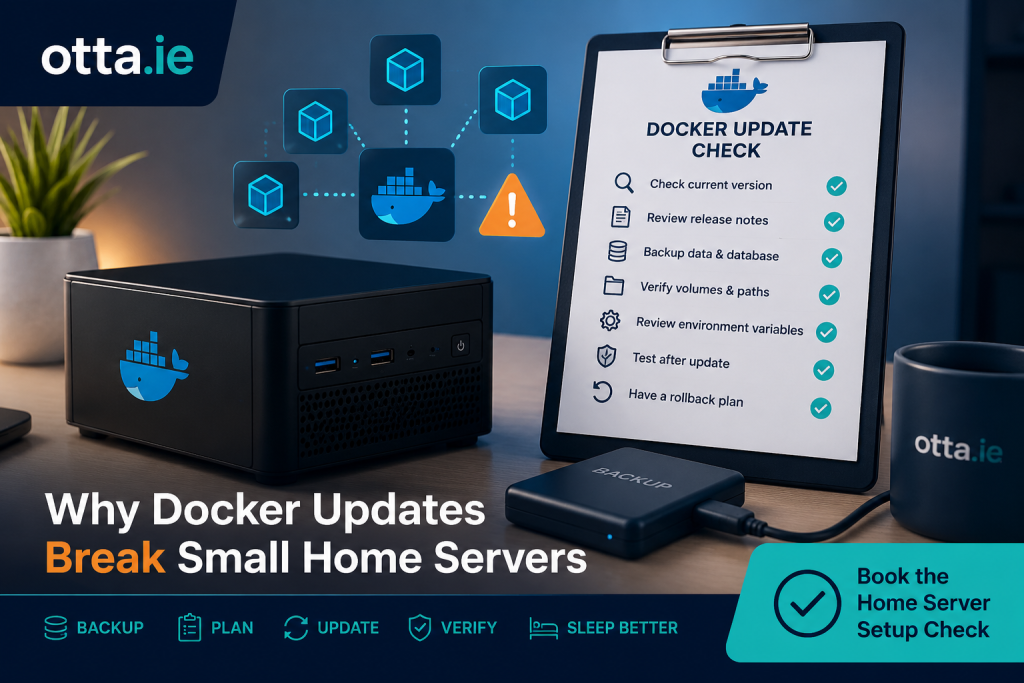
Docker updates can make small home servers easier to maintain, but they can also expose weak points in the setup.
Instead of installing every service directly on the host system, you can run tools like Nextcloud, Jellyfin, Paperless, Pi-hole, Home Assistant add-ons, Calibre, Uptime Kuma or other services in separate containers.
That is one of Docker’s biggest strengths.
But it also creates a common problem:
A small home server may run perfectly for months — until one image update suddenly breaks something.
The update itself is not always the real problem. Very often, the real issue is that the setup was never prepared for safe updates.
Docker updates are not just “new versions”
A Docker update sounds simple.
You pull a newer image, recreate the container, and the service starts again.
In practice, several things can change at the same time:
- the application version
- the database requirements
- the configuration format
- the required environment variables
- the container startup behaviour
- file permissions
- network behaviour
- reverse proxy compatibility
- deprecated features
- default settings
Most of the time, nothing dramatic happens.
But when something does break, it can be difficult to understand what changed — especially if there was no backup, no documentation, and no clear rollback plan.
Common reasons Docker updates break small servers
1. The container uses the latest tag
Many small home server setups use image tags such as:
latest
This looks convenient, but it also means the next update may not be a small patch. It can sometimes move the container to a much newer version than expected.
That is not automatically wrong, but it makes updates less predictable.
For important services, it is often better to understand exactly which image tag is being used and whether the update is a minor update, major update or release candidate.
2. The application needs a database migration
Some services update their database structure when a new version starts for the first time.
That can be normal.
The risk is that once the database has been migrated, rolling back to the older version may no longer work cleanly.
This is especially important for services such as Nextcloud, Paperless-ngx, Home Assistant-related databases, media servers and other applications that store user data or metadata.
Before updating these services, the database should be backed up properly.
3. The volume is not backed up correctly
Docker containers are usually replaceable.
The important data is normally stored in volumes or bind mounts.
If the data location is unclear, backup planning becomes weak.
A common mistake is thinking that the container itself is the important part. Usually, it is not. The important parts are the configuration files, uploaded data, databases, media metadata, compose files and any custom settings.
If these are not backed up, a failed update can become much harder to recover from.
4. The compose file is not documented
A Docker Compose file tells you how the service is started.
It may include:
- image names
- ports
- volumes
- environment variables
- restart rules
- network names
- database connections
- reverse proxy assumptions
If this file is missing, outdated or copied from an old tutorial without adjustment, troubleshooting becomes harder.
A good Compose file is not just a launch file. It is also documentation for how the service is supposed to run.
5. Permissions change
Some Docker updates change how the container handles users, groups or file access.
This can cause problems such as:
- uploads failing
- media libraries becoming read-only
- applications not being able to write cache files
- config folders becoming inaccessible
- background jobs failing
These issues can be confusing because the container may still start, but part of the service no longer works properly.
6. Reverse proxy settings no longer match
Many small home servers use a reverse proxy such as Nginx Proxy Manager, Traefik or Caddy.
After an update, a service may change how it handles headers, trusted domains, WebSockets, base URLs or HTTPS assumptions.
The result can be a service that technically runs but no longer works correctly through the browser.
Typical symptoms include login loops, broken uploads, blank pages, WebSocket errors, mobile app connection problems or warnings about trusted domains.
7. The update was done without a rollback plan
The most stressful Docker updates are the ones where there is no clear way back.
A safer update process usually answers these questions before the update starts:
- Which service is being updated?
- Which image version is currently running?
- Where is the Compose file?
- Where is the data stored?
- Is there a backup of the config?
- Is there a backup of the database?
- Can the old image version be restored?
- How will the service be tested after the update?
Without those answers, a simple update can turn into guesswork.
Small home servers need boring update routines
A good Docker update process does not need to be complicated.
For small practical setups, the goal is usually not enterprise-level change management.
The goal is simpler:
- know what is running
- know where the data is
- back up the important parts
- update one thing at a time
- test the service afterwards
- avoid unnecessary surprises
That kind of routine makes updates much less stressful.
It also makes the server easier to maintain over time.
What I check before trusting a Docker setup
When I look at a small home server setup, I usually want to understand:
- which services are running
- how Docker Compose is organised
- which containers use
latest - where persistent data is stored
- how backups are handled
- whether databases are included in backups
- whether important services can be restored
- how reverse proxy access is configured
- whether update notifications are useful or just noise
- whether the setup is understandable enough to maintain later
The goal is not to make the server unnecessarily complex.
The goal is to make it more reliable, more understandable and easier to recover if something goes wrong.
Docker is still a good choice
Docker is not the problem.
For many home server setups, Docker is still one of the best ways to run services cleanly.
The problem is running Docker without knowing what depends on what.
A small server with five or ten containers can already have several hidden dependencies:
- one container depends on a database
- another depends on a shared folder
- another depends on a reverse proxy
- another depends on DNS
- another depends on correct permissions
- another depends on a backup job that nobody has tested
Docker makes deployment easier.
It does not automatically make the whole setup safe.
Need a second pair of eyes on your home server?
If you run a small home server with Docker, Nextcloud, Jellyfin, Paperless, Pi-hole, Home Assistant or similar services, I can review the setup and point out practical risks before something breaks.
The otta.ie Home Server Setup Check is a written review for small self-hosted setups.
It focuses on practical things such as:
- Docker Compose structure
- backup gaps
- update risks
- exposed services
- reverse proxy basics
- monitoring
- recovery weak points
- simple next steps
You receive a written report with clear findings and recommendations.
No phone call is required.
Book the Home Server Setup Check
Find our advice useful?
Add OTTA as a preferred source on Google.