
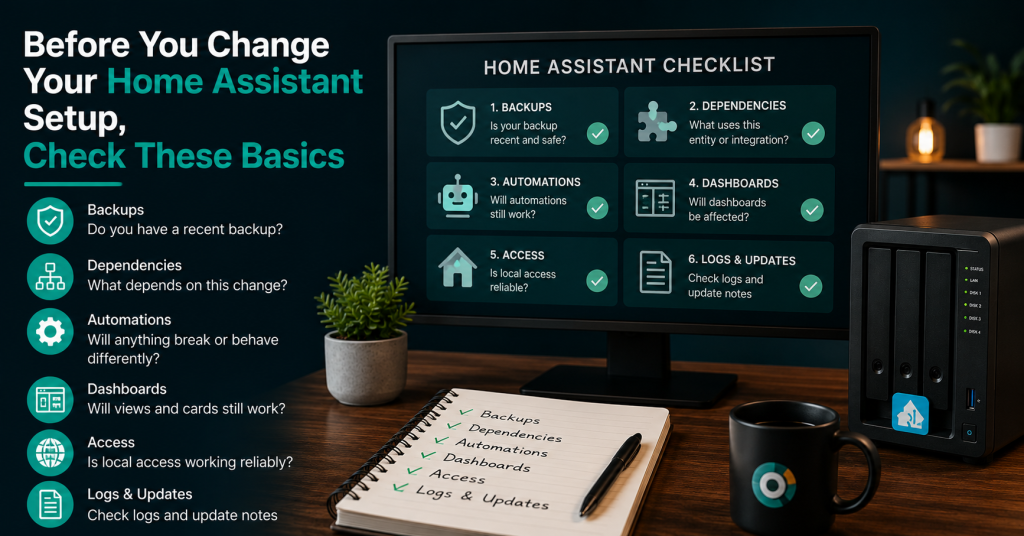
Before you change your Home Assistant setup, it is worth checking the basics. A few simple checks can prevent broken automations, missing dashboards, failed updates and confusing device problems.
Home Assistant is powerful because it can connect many parts of a home. Lights, sensors, heating, cameras, plugs, dashboards, automations and notifications can all work together.
That is useful, but it also means one small change can affect more than you expect.
Before you remove an integration, rename entities, update add-ons or rebuild a dashboard, pause and check the foundation first.
Start with a current backup
A backup is the first thing to check before making changes.
Do not only check that backups exist. Check that the backup is recent and stored somewhere safe.
Ask yourself:
- Was a backup created recently?
- Does it include Home Assistant settings, add-ons and important configuration?
- Is the backup stored outside the device running Home Assistant?
- Do I know how to restore it?
A backup that only exists on the same device can still be lost if that device fails. A useful backup should survive the problem you are trying to protect against.
Check what depends on the thing you want to change
Home Assistant setups often grow over time. An entity that looks unimportant may be used in several automations, scripts, dashboards or templates.
Before renaming or deleting anything, check where it is used.
This matters especially for:
- Sensors
- Helpers
- Input booleans
- Scenes
- Scripts
- Automations
- Dashboard cards
- Template entities
If an entity is used in several places, make a note before changing it.
Review entity names before adding more
Naming is one of the easiest things to ignore, and one of the hardest things to fix later.
Clear names make dashboards, automations and troubleshooting easier.
Good names explain what the device or sensor is and where it belongs.
For example:
- Living room temperature
- Kitchen motion sensor
- Front door lock state
- Bathroom humidity
- Washing machine power
Less useful names are vague or temporary.
- Sensor 1
- New plug
- Temperature old
- Test helper
- Motion final
If your setup already has unclear names, do not rename everything at once. Start with the areas you use most.
Check automations before editing them
Automations can become fragile when they depend on many conditions.
Before editing an automation, check:
- What triggers it
- What conditions must be true
- What actions it performs
- Whether it depends on helpers or template sensors
- Whether another automation does something similar
- Whether it has failed recently
If an automation is important, duplicate it or copy the YAML before making major changes.
This gives you a quick way back if the change does not work.
Look for duplicate automations
Duplicate automations are common in older Home Assistant setups.
You may have one automation created for testing, one copied version and one newer version that actually does the work.
This can cause strange behaviour.
- A light turns on twice.
- A notification sends more than once.
- A device switches off when another automation turns it on.
- A helper changes state unexpectedly.
Before adding a new automation, check whether an older one already covers the same job.
Check dashboards for broken or unused cards
Dashboards often show the first signs of a messy setup.
Before changing your dashboards, check for:
- Cards that show unavailable entities
- Old rooms or devices that no longer exist
- Cards that duplicate the same information
- Controls that are rarely used
- Views that are too crowded on mobile
- Buttons that are unclear to other people in the home
A good dashboard does not need to show everything. It should show the controls and information you actually need.
Check mobile and wall tablet views
A dashboard can look good on a desktop screen and still be hard to use on a phone or tablet.
If you use Home Assistant on a wall display, kitchen tablet or phone, test the layout on those devices before calling the dashboard finished.
Check:
- Are important controls easy to tap?
- Is the text readable?
- Do cards fit the screen?
- Does the dashboard load quickly?
- Can another person understand what the buttons do?
A practical dashboard is better than a busy one.
Check local access before changing remote access
Remote access is useful, but local access should be reliable first.
Before changing remote access, check that Home Assistant works well inside your home network.
Useful checks include:
- Can you reach Home Assistant locally by IP address?
- Can you reach it by local name?
- Do wall tablets and phones connect reliably?
- Does local DNS work as expected?
- Do automations still run when the internet is down?
If local access is unclear, fix that before adding more remote access layers.
Check add-ons and integrations before updating
Updates are important, but it is better to update with a plan.
Before updating Home Assistant, add-ons or integrations, check:
- Whether you have a current backup
- Whether the update mentions breaking changes
- Whether key integrations are still supported
- Whether you can restore if something fails
- Whether you have time to troubleshoot after the update
Avoid doing major updates just before travel, before guests arrive or when you do not have time to fix problems.
Check logs before guessing
When something breaks, it is tempting to change settings until it works again.
That can create more problems.
Before guessing, check:
- Home Assistant logs
- Integration errors
- Unavailable entities
- Automation traces
- Add-on logs
- Recent changes
The logs often show where the problem started.
Check whether the change is really needed
Not every setup needs a rebuild.
Sometimes the best change is a small clean-up:
- Rename a few important entities
- Remove old dashboard cards
- Disable unused automations
- Document local access
- Fix one unreliable sensor
- Improve one dashboard view
Small, controlled changes are often safer than a full rebuild.
A simple Home Assistant pre-change checklist
Before making a significant change, check this list:
- I have a recent backup.
- I know where the backup is stored.
- I know how to restore it.
- I checked what depends on the thing I want to change.
- I checked dashboards for affected entities.
- I checked automations and scripts.
- I checked local access.
- I checked recent logs.
- I have time to fix problems if something breaks.
If several of these answers are unclear, slow down before changing more.
Before you rebuild Home Assistant
A rebuild can be useful, but it should not be the first answer to every problem.
First, understand what is messy and why.
A setup review can help you decide whether you need a rebuild, a dashboard clean-up, better naming, automation fixes or a more reliable backup plan.
Need a written review of your Home Assistant setup?
The Home Assistant Setup Review can look at dashboards, entity naming, automations, local access, reliability points and practical next steps.
View the Home Assistant Setup ReviewFind our advice useful?
Add OTTA as a preferred source on Google.