
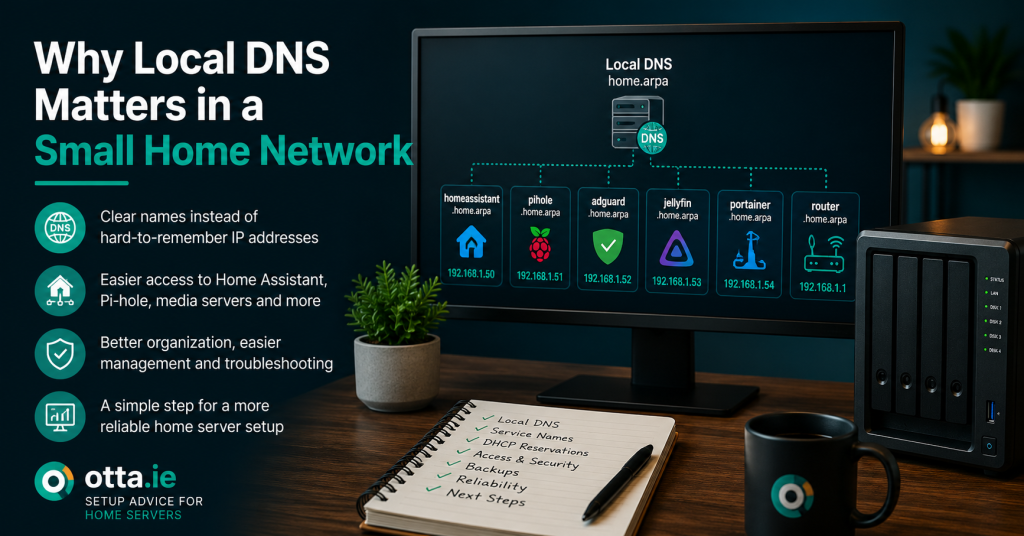
Local DNS helps your home network use clear names instead of hard-to-remember IP addresses. It can make a small network easier to manage, especially when you run Home Assistant, Pi-hole, AdGuard, Docker or self-hosted services.
Many small home networks start simple. A router gives every device an IP address. Phones, laptops, smart TVs and tablets connect without much thought.
Then the network grows. You add Home Assistant, a media server, a NAS, Pi-hole, AdGuard, Docker containers, cameras, smart home hubs or a small WordPress test site. Suddenly, remembering IP addresses becomes annoying.
Local DNS helps solve that problem.
What local DNS means
DNS is the system that turns names into IP addresses. On the public internet, it turns a domain such as example.com into the address of a server.
Local DNS does the same thing inside your own home network.
Instead of typing an IP address like this:
http://192.168.1.50:8123you can use a clear local name like this:
http://homeassistant.home.arpaThat is easier to read, easier to remember and easier to document.
Why IP addresses become a problem
IP addresses work, but they are not friendly.
They are easy to forget. They can change if DHCP reservations are not set. They tell you nothing about what the device or service is.
A small home server setup can quickly end up with many addresses:
- One for Home Assistant
- One for a NAS
- One for Pi-hole or AdGuard
- One for a media server
- One for a Docker host
- One for a printer
- One for cameras or hubs
- One for a reverse proxy
Without clear names, troubleshooting becomes slower. You waste time checking notes, bookmarks or router screens before you can even start fixing the real issue.
Local DNS makes services easier to understand
A good local name explains what the service is.
These names are much easier to understand than raw IP addresses:
- homeassistant.home.arpa
- pihole.home.arpa
- adguard.home.arpa
- jellyfin.home.arpa
- portainer.home.arpa
- router.home.arpa
- printer.home.arpa
This also helps when someone else in the household needs to use a service. A clear name is easier to explain than a number.
Local DNS helps with Home Assistant
Home Assistant users often have several related systems on the same network.
You may have Home Assistant, a Zigbee coordinator, smart hubs, cameras, dashboards, media players and add-on services. Local DNS makes those systems easier to find and document.
It can also reduce confusion when you use dashboards on tablets, wall panels or mobile devices.
For example, a dashboard tablet can point to:
http://homeassistant.home.arpainstead of a numeric IP address.
That makes future changes easier, because the name can stay the same even if the underlying address changes later.
Local DNS helps with Docker and reverse proxies
Docker makes it easy to run more services. That is useful, but it can also make a setup harder to read.
A reverse proxy such as Nginx Proxy Manager can route friendly names to different services. Local DNS can point those names to the proxy or to the correct local device.
This gives you cleaner links such as:
- portainer.home.arpa
- jellyfin.home.arpa
- uptime.home.arpa
- recipes.home.arpa
That is easier than remembering ports and IP addresses for every container.
Local DNS helps with monitoring
Monitoring tools are easier to read when they use names instead of numbers.
A status page that says:
portainer.home.arpa is upis clearer than:
192.168.1.50:9443 is upNames help you see what has failed without checking a separate list.
Pi-hole and AdGuard can both provide local DNS
Pi-hole and AdGuard Home are often used for ad blocking and DNS filtering. They can also be used for local DNS records.
That means you can create entries such as:
- homeassistant.home.arpa points to your Home Assistant IP address
- pihole.home.arpa points to your Pi-hole server
- jellyfin.home.arpa points to your media server
- router.home.arpa points to your router
This can be a simple and practical way to make your home network easier to use.
Use a sensible local domain
It is best to use a local domain that avoids conflict with public internet domains.
A common choice for home networks is:
home.arpaThen your internal service names can look like:
service.home.arpaThis keeps local names separate from public websites.
Local DNS still needs a simple structure
Local DNS is useful, but it should not become messy.
A good structure keeps names short, clear and predictable.
Good examples:
- homeassistant.home.arpa
- pihole.home.arpa
- jellyfin.home.arpa
- portainer.home.arpa
Less useful examples:
- server1new.home.arpa
- test-final2.home.arpa
- oldnasmaybe.home.arpa
- dockerthing.home.arpa
The name should explain what the service is.
Local DNS does not replace good network basics
Local DNS is helpful, but it is only one part of a reliable home network.
You still need:
- Stable IP addresses or DHCP reservations for important devices
- A clear DNS server setup
- A fallback plan if your main DNS server fails
- Basic documentation of important names and addresses
- Backups for key services
If your only DNS server fails, local names may stop working. That is why the DNS setup itself should be simple and reliable.
A simple local DNS checklist
If you are reviewing your own setup, start with these questions:
- Do important devices have stable IP addresses?
- Do important services have clear local names?
- Do all devices use the correct DNS server?
- Is there a fallback DNS server?
- Are old or unused DNS records removed?
- Are names consistent and easy to understand?
- Can you still reach critical services if one DNS component fails?
If you cannot answer these questions easily, your local DNS setup may need a review.
Before you add more services
Local DNS is easiest to fix before a home network becomes too complicated.
If you already run Home Assistant, Docker, Pi-hole, AdGuard, a media server or several web apps, it is worth making the naming structure clear now.
Good local DNS will not make every problem disappear. But it makes your network easier to understand, easier to document and easier to maintain.
Need a written review of your home server setup?
The Home Server Setup Check can review your local DNS, access structure, service names, backups, reliability points and next steps.
View the Home Server Setup CheckFind our advice useful?
Add OTTA as a preferred source on Google.