
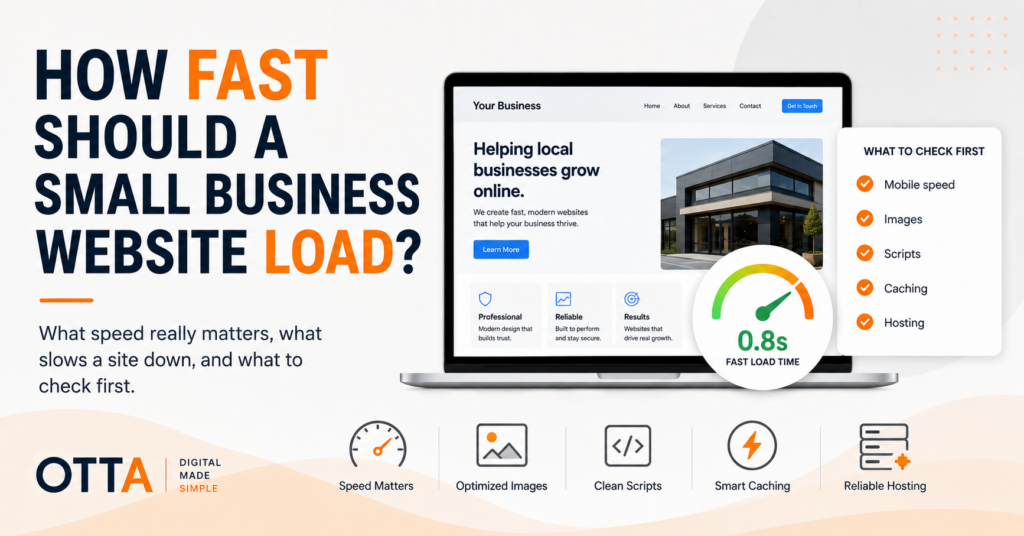
How fast should a small business website load?
The short answer is: fast enough that visitors do not notice they are waiting.
That sounds vague, but it is more useful than chasing one perfect number.
A website can technically finish loading in several seconds and still feel responsive if the important content appears quickly. Another site can achieve a decent performance score while still feeling awkward because buttons move around, images appear late or the page reacts slowly when someone tries to use it.
For a small business website, I would focus on the experience first and the score second.
What Is a Reasonable Loading Time?
As a practical target, I would want the important content of a small business website to appear within roughly two to three seconds on a normal mobile connection.
That does not mean every script, tracking request and image must be completely finished within three seconds.
What matters is whether the visitor can quickly understand:
- What the business does
- What page they are on
- What they can do next
- Whether the page is ready to use
If the screen stays mostly blank while the visitor waits, that is a problem.
If the main heading, text and primary action appear quickly while less important elements continue loading in the background, the website can still feel fast.
Speed Is More Than One Number
This is where website performance can become unnecessarily confusing.
People often ask, “How many seconds does my website take to load?”
But modern websites do not load as one single event.
Different things happen at different times:
- The server starts responding
- The first visible content appears
- The main image or heading becomes visible
- The page becomes responsive to clicks and taps
- Fonts, analytics and other background resources finish loading
That is why performance tools use several different measurements instead of one simple stopwatch.
Three Core Web Vitals Worth Understanding
You do not need to become a performance engineer to understand the three most useful Core Web Vitals.
Largest Contentful Paint (LCP)
LCP measures how quickly the largest important piece of visible content appears.
On many business websites that is the main hero image, a large heading area or another prominent block near the top of the page.
A commonly used target is an LCP of 2.5 seconds or less.
If the main content takes much longer to appear, the website can feel slow even when smaller elements are already visible.
Interaction to Next Paint (INP)
INP looks at responsiveness.
In simple terms: when someone clicks, taps or interacts with the page, how quickly does the website respond?
A page can look fully loaded but still feel sluggish if scripts keep the browser busy and interactions are delayed.
For a business website, that might affect:
- Opening the navigation menu
- Clicking a contact button
- Changing a form field
- Opening an accordion or FAQ
A good INP is generally considered 200 milliseconds or less.
Cumulative Layout Shift (CLS)
CLS measures whether the page moves around unexpectedly while it loads.
You may have experienced this yourself: you are about to tap a button, an image suddenly appears above it and the button jumps somewhere else.
That is not just irritating. It can make a website feel unreliable.
A good CLS score is generally 0.1 or lower.
For a small business owner, the simple interpretation is this:
The important content should appear quickly, the page should respond quickly and things should stay where you expect them to stay.
Test Mobile, Not Just Your Office Computer
One of the easiest ways to get a false impression of website speed is to test only from your own desktop computer.
Your computer may be fast. Your internet connection may be excellent. Your browser may already have parts of the website cached.
Your customer may be using a mid-range phone on a mobile connection.
That is the experience I would care about more.
Open the website on a real phone and try to use it normally.
Pay attention to:
- How long the first screen takes to become useful
- Whether the menu opens immediately
- Whether text appears before large images
- Whether buttons respond when tapped
- Whether the page jumps around during loading
If the site feels slow on your own phone, a performance score is unlikely to convince your customers otherwise.
Use PageSpeed Insights, but Read It Properly
Google PageSpeed Insights is a useful starting point for testing website performance.
But I would not treat the large performance score at the top as the only thing that matters.
A website scoring 92 is not automatically a better business website than one scoring 78.
Look at the actual problems underneath the score.
For example:
- Is the main image taking too long to load?
- Are scripts blocking the page?
- Are images much larger than they need to be?
- Are fonts delaying visible text?
- Is the page unstable while loading?
- Is the server responding slowly?
The useful question is not:
How do I get this number to 100?
It is:
What is actually making the page slower for a real visitor?
Large Images Are Often the Easiest Problem to Fix
Images are one of the first things I would check on a slow small business website.
A modern phone can produce photographs that are several megabytes each.
Uploading those files directly to WordPress and displaying them at a fraction of their original size wastes bandwidth and slows the page down.
A website may only display an image at 900 pixels wide while the original uploaded file is 4,000 pixels wide.
The visitor still has to download far more data than necessary unless the site is handling image sizes properly.
I would check:
- Image dimensions
- File size
- Whether modern image formats are being used
- Whether images below the first screen are lazy-loaded
This is often a better first optimisation than installing another performance plugin.
Too Many Plugins Can Add Up
“Too many plugins” is often repeated as if WordPress has a magic maximum number.
It does not.
Ten well-written plugins can perform better than three badly written ones.
The real issue is what each plugin does.
Some add:
- Extra JavaScript
- Additional CSS
- External requests
- Database queries
- Tracking scripts
- Features that load on every page even when they are not needed
Over time, a WordPress website can accumulate plugins that were installed for a single feature and then forgotten.
I would periodically ask:
Do we still need this?
Removing an unnecessary plugin is often safer and simpler than adding another optimisation layer to compensate for it.
Third-Party Scripts Can Be Expensive
Not everything slowing down your website necessarily comes from your own hosting.
Websites often load resources from other companies.
Examples include:
- Analytics
- Advertising scripts
- Chat widgets
- Embedded videos
- Review widgets
- Social media feeds
- External fonts
- Consent and marketing tools
Each integration may look harmless on its own.
But several of them together can create a lot of extra work for the browser.
I would not remove a useful business tool just to improve a benchmark score.
But I would ask whether every script justifies the performance cost it adds.
Your Theme or Page Builder Can Matter
Some websites are simply carrying more front-end code than they need.
A complex theme or page builder may load styles and scripts for features that are barely used.
That does not mean page builders are automatically bad.
They can make websites easier to maintain and allow businesses to update content without custom development.
The question is whether the implementation is reasonable.
If a simple service page requires huge amounts of JavaScript, multiple sliders, animations and several layers of layout code, there may be opportunities to simplify it.
I would not rebuild a website purely because a performance tool dislikes the page builder.
I would first identify whether it is causing a real user-facing problem.
Hosting Matters, but It Is Not Always the Problem
Hosting is often blamed immediately when a website feels slow.
Sometimes that diagnosis is correct.
If the server takes a long time to start responding, overloaded or poorly configured hosting can affect every page.
But moving a badly optimised website to a more expensive server does not automatically make it efficient.
A page containing oversized images, heavy scripts and unnecessary plugins will still contain oversized images, heavy scripts and unnecessary plugins after the migration.
Before changing hosting, I would check:
- Server response time
- Caching
- Image sizes
- Plugin overhead
- Third-party scripts
- Database and WordPress health
If the server itself is clearly the bottleneck, then better hosting can make a meaningful difference.
But I would diagnose that rather than treating “upgrade the hosting” as the default answer.
Caching Helps, but It Cannot Fix Everything
Caching can significantly improve WordPress performance.
Instead of rebuilding the same page from scratch for every visitor, the server can often deliver a previously prepared version much more quickly.
Browser caching can also prevent returning visitors from downloading the same files repeatedly.
But caching is not magic.
It can hide some inefficiencies, but it does not make a five-megabyte hero image suddenly lightweight.
And stacking several caching and optimisation plugins on top of each other can create its own problems.
I prefer a configuration that is understandable and predictable rather than five different tools all trying to optimise the same page.
A Perfect Performance Score Is Not the Goal
I would be cautious about anyone promising that every business website needs a PageSpeed score of 100.
A useful website may need functionality that has a performance cost.
An appointment system, payment provider, map, analytics platform or accessibility tool may add resources to a page.
If that functionality genuinely helps customers or the business, removing it just to gain a few benchmark points can be the wrong trade-off.
The goal is not to build the fastest empty page on the internet.
The goal is to build a website that is fast enough, useful and reliable.
What I Would Fix First
If a small business website feels slow, I would usually investigate in roughly this order:
- Test important pages on a real mobile device.
- Run them through PageSpeed Insights.
- Check the largest images.
- Look for unnecessary third-party scripts.
- Review plugins that load front-end resources.
- Check caching and compression.
- Look at server response time.
- Only then decide whether the theme, builder or hosting needs a larger change.
That order matters because the obvious solution is not always the correct one.
A slow website does not automatically need new hosting.
A poor PageSpeed score does not automatically require a redesign.
And adding another optimisation plugin is not automatically an optimisation.
Check the Website Before Making Bigger Changes
If speed is only one of several things you are unsure about, our Free Website Health Check gives you a broader starting point.
It takes you through 25 practical questions covering clarity, mobile usability, contact and conversion, SEO basics, security and maintenance.
You receive an immediate score, category results and a prioritised list of areas worth checking. You can also download the results as a PDF.
Start the Free Website Health Check
When a Detailed Review Makes Sense
If the website still feels slow or underperforms after the obvious checks, it can help to look at the site as a whole rather than optimising isolated numbers.
Our Small Website Improvement Review looks at an existing website and identifies practical improvements without assuming that every issue requires a redesign or hosting migration.
Performance should be treated the same way as most website problems:
measure first, identify the actual bottleneck and then fix the thing that is causing it.
Final Thoughts
So, how fast should a small business website load?
I would aim for the important content to become useful within roughly two to three seconds on mobile, with a good Largest Contentful Paint around 2.5 seconds or better.
But I would not judge the website by one number alone.
Visitors care about whether the page appears quickly, stays stable and responds when they try to use it.
A fast website is not one that wins a benchmark. It is one that does not make the customer wait.
Find our advice useful?
Add OTTA as a preferred source on Google.