
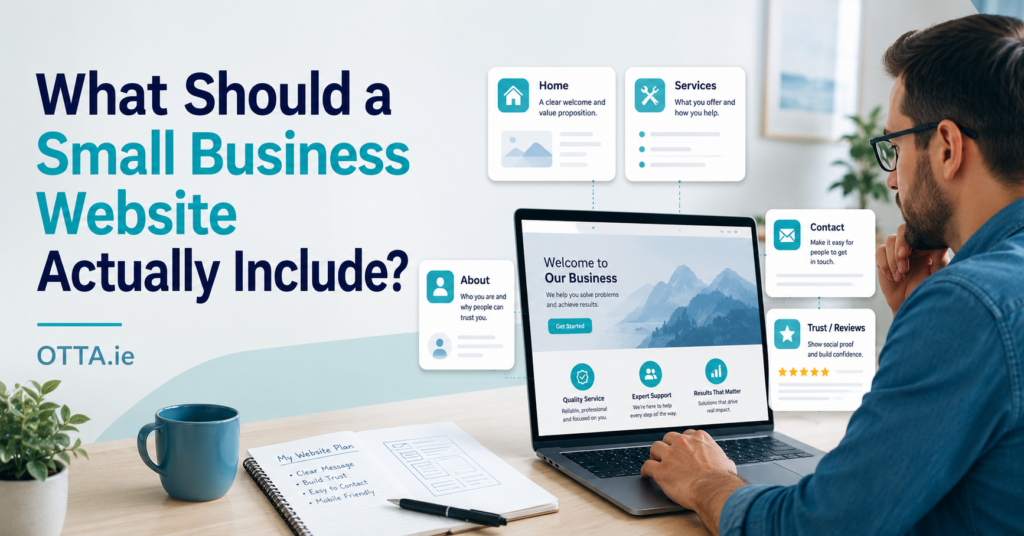
A small business website does not need to be large, complicated or expensive.
For many local businesses, self-employed professionals and small service providers, a simple website is enough. The important part is not the number of pages. The website must quickly explain what the business offers, who it helps and how a potential customer can get in touch.
A visitor should not have to search through complicated menus or long paragraphs to understand the business.
In most cases, a good small business website only needs to answer a few important questions.
1. Who Is Behind the Business?
Customers want to know who they are dealing with.
A website should clearly show:
- the business name
- the person or team behind it
- where the business is based
- how long the business has been operating
- relevant experience or qualifications
This information helps establish trust.
A small business does not need a long corporate history. A short and honest introduction is usually more effective.
For example:
We are a local pet care business based in Dundalk, providing professional pet sitting and dog walking services since 2011.
That single sentence immediately explains who the business is, where it operates and what it does.
2. What Services Are Offered?
The services should be easy to find and clearly explained.
Avoid vague descriptions such as:
We provide a wide range of professional solutions.
A potential customer wants to know exactly what they can buy.
A clearer description would be:
We create simple WordPress websites for small businesses, local service providers and self-employed professionals.
Each main service should include:
- what is included
- who the service is for
- what problem it solves
- any important limitations
- the next step for the customer
Customers should not need to contact the business just to understand what is being offered.
3. Who Is the Service For?
Not every business serves everyone.
A good website makes the intended customer clear.
For example:
- local homeowners
- small shops
- tradespeople
- pet owners
- consultants
- clubs or community organisations
- small businesses needing a basic online presence
Being specific helps the right customer recognise that the service is suitable for them.
It also reduces enquiries from people who need something the business does not provide.
4. Where Does the Business Operate?
For local businesses, the service area should be clearly stated.
This could include:
- the town or city
- nearby areas
- the county or region
- whether remote services are available
- whether the business travels to customers
For example:
We provide local pet care services in Dundalk and nearby areas of County Louth.
For an online service, the wording might be:
Our written website and technical reviews are provided remotely and are available to customers throughout Ireland.
Clear location information is useful for customers and also helps search engines understand where the business operates.
5. Why Should a Customer Trust the Business?
A website should provide evidence that the business is genuine and reliable.
Useful trust signals include:
- customer reviews
- real examples of previous work
- professional qualifications
- years of experience
- clear pricing
- business registration details
- photographs of the work
- written policies
- secure payment options
- a professional business email address
A small number of genuine details is more valuable than generic claims such as “best quality” or “industry-leading service.”
Trust is built through clarity and evidence.
6. How Can the Customer Make Contact?
The next step should always be obvious.
Depending on the business, this could be:
- completing an enquiry form
- sending an email
- requesting a written quote
- making a booking
- purchasing a clearly defined service
- visiting the business premises
The website should not present five different contact methods unless they are genuinely needed.
For many small businesses, one clear contact form and one business email address are enough.
The contact page should also explain what information the customer needs to provide.
For example:
Tell us what type of website you need, what your business does and whether you already have a domain name or existing website.
This leads to more useful enquiries and reduces unnecessary back-and-forth communication.
Does a Small Business Website Need Many Pages?
Usually, no.
A simple small business website may only need:
- Home
- Services
- About
- Contact
- Privacy Policy
Some businesses may also need:
- pricing
- frequently asked questions
- terms and conditions
- booking information
- a portfolio or project gallery
- individual service pages
The correct structure depends on the business.
Adding pages simply to make the website look larger rarely improves it. Every page should have a clear purpose.
What Should Be on the Homepage?
The homepage should give visitors an immediate overview.
It should normally include:
- a clear headline explaining the service
- the location or service area
- a short introduction
- the main services
- one or two reasons to trust the business
- a clear contact or enquiry button
A visitor should understand the business within a few seconds.
A headline such as:
Professional Services for Every Customer
does not explain very much.
A more useful headline would be:
Simple WordPress Websites for Small Businesses in Ireland
The second version immediately explains the service, the intended customer and the market.
What Does a Small Business Website Not Need?
Many small websites become unnecessarily complicated.
A typical small business may not need:
- a custom-built booking platform
- dozens of plugins
- complicated animations
- a customer login area
- an online shop
- daily blog posts
- several different contact forms
- a large number of pages
- expensive custom development
These features may be useful for some businesses, but they should only be added when they solve a real problem.
Every additional feature creates more work, maintenance and potential technical issues.
If you want to understand what happens after a website goes live, see Does a Small Business Website Need Regular Maintenance?
How Much Should a Small Business Website Cost?
The cost depends on the scope of the project, the number of pages, the functionality required and how much content or design work is involved.
A simple brochure website and a website with ecommerce, bookings or custom integrations are very different projects.
For a detailed breakdown, see How Much Does a Small Business Website Cost in Ireland?
What Should You Decide Before Asking for a Website Quote?
You do not need to have every detail planned before contacting a web designer.
However, it helps to know:
- what the website needs to achieve
- which services or products need to be promoted
- which pages you think you may need
- whether you already have a website or domain name
- whether you need features such as payments, bookings or forms
- whether you already have text, images or branding
- your approximate budget
- whether you have a particular deadline
You can find a more detailed checklist in What Information Do You Need for a Website Quote in Ireland?
The Website Should Support the Business
A website is not just an online brochure.
It should make running the business easier.
A well-planned website can:
- answer common customer questions
- explain services before an enquiry is made
- reduce unsuitable enquiries
- establish trust
- make the business easier to find
- provide a professional alternative to relying only on social media
- guide customers towards a clear next step
As discussed in Do I Need a Website If My Small Business Already Uses Facebook?, social media can support a business, but it should not be the only place where customers can find important information.
A website gives the business control over its services, content and customer journey.
Start With What the Customer Needs
The best small business websites are often the simplest.
They clearly explain:
- who the business is
- what it offers
- who it helps
- where it operates
- why it can be trusted
- how to make contact
Everything else is optional.
Before adding another page, plugin or feature, ask one question:
Does this make it easier for the customer to understand or use the business?
If the answer is no, it may not be necessary.
Planning a Small Business Website?
OTTA creates clear, practical WordPress websites for small businesses and self-employed professionals who need a professional online presence without unnecessary complexity.
You can view our website services for an overview of how OTTA approaches small business WordPress projects.
If you already know roughly what you need, tell us about your business, your existing website if you have one, and what you want the website to achieve.
Tell OTTA about your website project →
Find our advice useful?
Add OTTA as a preferred source on Google.