
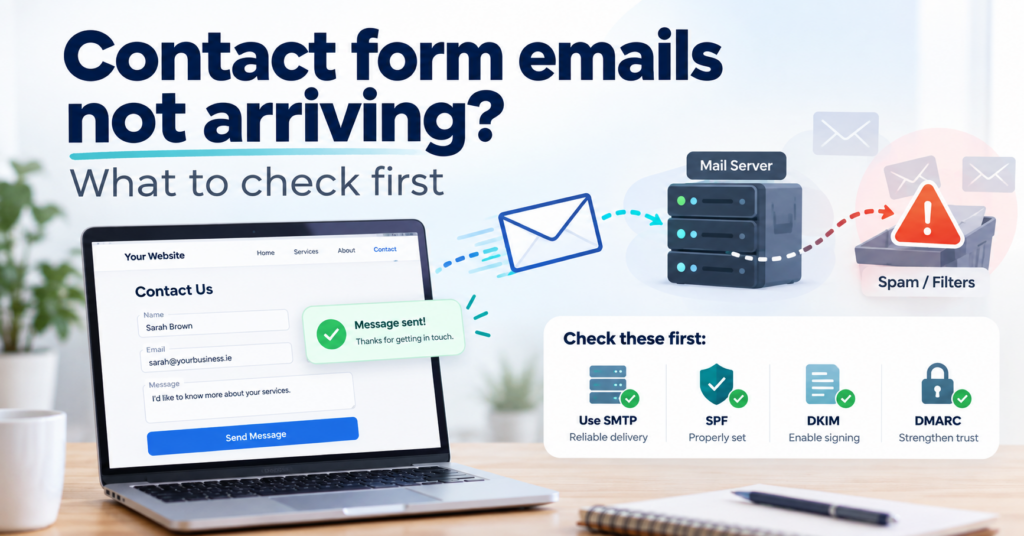
WordPress contact form not sending emails? What to check first
A contact form can show “Thank you, your message has been sent” even when the email never arrives. It might be rejected by a mail server, land in spam or never leave the website. You may not notice until a customer asks why you haven’t replied.
This guide is for small business owners with a WordPress website. It explains why form emails go missing, how to test your own form in about five minutes, and what a lasting fix looks like.
Why does my contact form say “sent” when no email arrives?
The confirmation only means WordPress handed the message to a mail system. It does not mean the email was delivered.
When someone submits a form, WordPress needs to process the submission and generate an email. That email then has to pass through a sending mail server before the recipient’s provider can deliver it. A success message on the website does not confirm that the email reached the inbox.
WordPress creates emails with its own function, wp_mail(). Unless a plugin changes that, the email leaves through the mail setup of your web server, often with a sender address like [email protected]. Whether it arrives depends on how that server is configured. If your email and your website are with the same hosting company, the host often takes care of authentication. When your website and business email use different providers, the sending configuration needs particular attention. The receiving mailbox decides whether to trust the message, and the rules have become stricter. Since February 2024, Google requires everyone who sends to Gmail accounts to set up SPF or DKIM authentication for their domain (Google’s email sender guidelines). Microsoft and other providers apply similar checks.
Here is what happens when that configuration is missing. Your business email runs on Microsoft 365 or Google Workspace, and the website sits with a different hosting company. Your domain’s SPF record lists the email provider, but not the web server. So when your website sends an email claiming to come from your own domain, the receiving server sees a sender that your domain never authorised. To a spam filter, that looks like forgery.
What are the most common causes?
WordPress sends through the web server instead of a real mailbox
This is the cause I would check first. If no SMTP plugin or email service is configured, the form relies on the web server’s mail setup. Some hosts limit or block outgoing mail. Where it works, the result depends on DNS: if the server is not listed in your domain’s SPF record and does not sign the email with DKIM for your domain, the message fails authentication.
The SPF record is missing, wrong or duplicated
A domain may have only one SPF record. Sometimes a domain ends up with two, often after changing email providers: one for the old provider, one added later for the new one. That does not double the protection. It breaks SPF for the whole domain.
There is a second limit people rarely know about. An SPF check may trigger at most ten DNS lookups. Every service you add (email, newsletter tool, booking system, invoicing software) costs lookups. Go over the limit and the record returns an error, which receiving servers may treat as a failure.
The form uses the visitor’s address as the sender
Some forms are set up so the email appears to come from whoever filled in the form, for example [email protected]. It looks convenient because you can press reply. But your web server is not allowed to send as gmail.com, and if the visitor’s provider publishes a strict DMARC policy, the message can be rejected outright. The correct setup is a sender address on your own domain, with the visitor’s address in the Reply-To field. You can still press reply.
The notification goes to the wrong inbox
Form plugins store the recipient address in their own settings. After a new email setup, a staff change or a handover from a previous web designer, enquiries may still go to an old address or to the designer’s own inbox.
An update changed something
Plugin updates can change form settings or conflict with another plugin. The form still looks normal on the page. Nothing on the website tells you that the emails stopped. The same goes for server errors that never show on the page.
How can I test my contact form in five minutes?
You need a Gmail address and access to your form settings in WordPress. The test shows how far your message gets.
- In the form settings, add your Gmail address as a second recipient for the notification email. Where to find this differs between form plugins. If yours only allows one recipient, change it to the Gmail address for the test and change it back straight afterwards.
- Fill in the form on your website and send a short test message.
- Check whether the email arrives in Gmail, including the spam folder.
- Open the email, click the three-dot menu next to reply and choose “Show original”. At the top you will see results for SPF, DKIM and DMARC, each marked PASS or FAIL.
- Restore the original recipient settings.
How to read the result:
- Nothing arrived, not even in spam: the email may have failed at several points, including a receiving server that rejected it. An email log plugin shows whether WordPress created the email. Your host’s mail logs or your sending service’s delivery logs show whether it was accepted and passed on.
- It arrived, but SPF and DKIM show FAIL or are missing: the email is unauthenticated. It may get through today and be filtered tomorrow.
- Everything shows PASS, but your business inbox never gets it: look at the rules and quarantine of your own mailbox. Microsoft 365, for example, can hold messages in quarantine where they never reach the inbox.
Repeat the test after every larger plugin or WordPress update. It takes two minutes once you have done it once.
What does a proper fix look like?
The goal is that every form email is sent by a sender your domain has authorised, and that a copy exists even if an email gets lost.
- Send through an authenticated mailbox or email service. An SMTP plugin connects WordPress to a real mailbox (for example [email protected]) or to a transactional email service, instead of the web server’s mail function.
- One correct SPF record that authorises every service sending email for your domain and stays within the DNS lookup limit.
- DKIM switched on for the service that sends the form emails.
- A DMARC record. A common starting point is p=none with a reporting address (the rua tag). That setting does not change delivery. It only asks receiving providers to send you reports, and the larger ones such as Google do. The reports show which servers send email in your domain’s name, including ones you forgot about. Once you know every legitimate sender, the policy can be tightened.
- Your own domain as sender, the visitor’s address as Reply-To.
- A second copy of each enquiry in WordPress. Contact Form 7, for example, does not store submissions by default. The Flamingo plugin from the same developer adds that. Other form plugins have entry storage built in, sometimes only in the paid version. If an email goes missing, the enquiry is still in the database. Stored submissions contain personal data, so limit who can access them and decide how long you keep them.
Can I check my SPF record myself?
Yes. Any free DNS lookup tool shows the TXT records of your domain. You should find exactly one line that starts with v=spf1. If you see two, or none, that is your first lead.
Be careful with changes, though. The same SPF record controls your normal business email. A wrong edit can send your everyday emails to customers into spam as well. If you are not sure what each entry in the record is for, find out before you delete anything. The person who has access to your DNS settings is often not the person who built the website, which is one more reason to know who controls your domain.
Not sure whether your form is losing enquiries?
Lost form emails are one of the reasons a website gets visitors but no enquiries. The owner blames the marketing while the enquiries are being sent and never arrive.
If you want a quick overview first, the free Website Health Check takes about five minutes and includes a section on customer enquiries. No email address required.
If you already know that messages are going missing, send me your website address and tell me where your business email is hosted. I will look at the form, the DNS records and the sending setup, and tell you what is wrong and what fixing it costs before any work starts.
If you would rather not run the test after every update yourself, WordPress maintenance includes basic checks after important updates, also for websites that stay with their current host.
Related: how to check whether your business website is actually working and does a small business website need regular maintenance?
Find our advice useful?
Add OTTA as a preferred source on Google.