
On 21 October 2026, PHP released emergency updates for two critical security flaws, now known as PHP2Shell. They let an attacker run their own code on a web server without logging in. PHP is the language WordPress runs on, so almost every WordPress site was exposed until its server was updated.
The flaws sit in PHP itself, not in WordPress, a theme or a plugin. That is why a fully updated WordPress site could still be at risk. Researchers showed the attack working against current WordPress, Drupal and Joomla installations (Patchstack), and security firms have seen it used against real servers since 21 October (watchTowr).
If your website runs on shared hosting, the patch is your host’s job, and only your host can confirm it has been done. This article shows how to confirm that, what your host should be able to tell you, and the two things a server patch does not fix. Most of it takes a few minutes and needs no technical background.
As of 27 October 2026. This is a developing story; details may change.
Updated 27 October 2026: added a section on PHP upgrades for sites on older versions.
How do I check which PHP version my WordPress site uses?
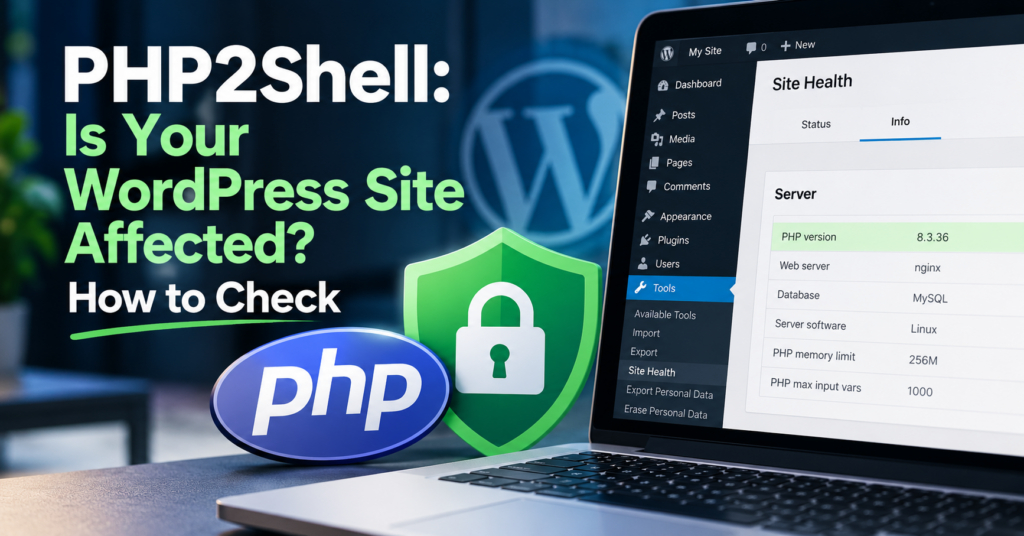
Log in to WordPress and go to Tools → Site Health → Info. Open the section called Server. The line “PHP version” shows the version your site runs on.
Compare it with this table, based on PHP’s own advisory:
| Your PHP branch | Fixed from | Status |
|---|---|---|
| 8.5 | 8.5.12 | Supported |
| 8.4 | 8.4.27 | Supported |
| 8.3 | 8.3.36 | Security fixes until 31 Dec 2027 |
| 8.2 | 8.2.35 | Security fixes until 31 Dec 2026 |
| 7.4, 8.0, 8.1 | No official release | Only backports from your host or a vendor |
| 7.3 and older | No current official PHP release | Upgrade recommended |
One catch: on shared hosting, the number alone does not always tell the full story. Some hosts apply security fixes to older PHP versions without changing the version number your site reports. So if you see an older number, your site is not automatically unprotected. And if you see a fixed number, that is a good sign but not the whole picture. The reliable answer comes from your host.
What should I ask my hosting company?
On shared hosting, your hosting provider is responsible for installing server-level PHP security patches. You may be able to change your PHP version in the hosting control panel, but that does not replace the server updates. Your job is to check that it happened.
A short email or support ticket is enough:
Has the server my website runs on been patched for CVE-2026-109618 and CVE-2026-109619 (PHP2Shell)? This includes the PHP version my site uses. Is there anything I need to do on my side?
A good answer covers three points. First, that every PHP version the host offers has been patched, including older ones. Second, what the host did in the hours before the patch was released, for example configuration changes or firewall rules. Third, a clear statement of what, if anything, is left for you to do.
The answer I received for my own sites covered all three. If your host replies with “we’re looking into it” two days after the release, or doesn’t reply at all, that tells you something about your hosting as well.
If you manage your own server (a VPS or dedicated server), the patch is your job. Update to the fixed version for your branch and restart PHP afterwards, because the old code stays in memory until the workers restart (watchTowr).
My host says no action is needed. Am I done?
For the server, yes. For the website, not quite. Hosts usually say “no further action required”, and they mean the server-level update. Two things sit outside that.
Your site may be on an old PHP version. If Site Health shows 8.1 or older, your host may have protected it with a backported fix this time. But these versions no longer get regular updates from PHP. The next serious flaw may not get a backport at all. PHP 8.2 joins that group after 31 December 2026. Most hosts let you switch the PHP version in the control panel. Before you do, check that your theme and plugins support the newer version, ideally on a staging copy first.
The patch closes the door. It doesn’t remove anyone who already came in. Attacks were observed before the patches were out. Amazon’s threat intelligence team traced one attempt back to 17 October, four days before the public release (Help Net Security). If an attacker placed a file on the server in that window, the update does not delete it. Researchers also showed that the flaws can expose the server’s memory, which may contain passwords and keys (Patchstack).
Nobody knows yet how many small business sites were actually compromised. It’s too early for reliable numbers. A few checks are worth doing anyway:
- Look at the user list in WordPress for admin accounts you don’t recognise.
- Run a malware scan, either with a security plugin or through your host’s tools.
- If your host or a scan reports anything unusual, change your WordPress, hosting, database and FTP passwords.
Why upgrading PHP isn’t always straightforward
Moving to a supported PHP version is the longer-term fix, and that’s where many sites get stuck. Older plugins and themes may not work properly with a newer PHP version. What you see then can be a blank page or an HTTP 500 error, and not always on the pages you happen to open.
We’ve seen how easily server errors go unnoticed. On our own site, the error log recorded 858 fatal PHP errors in five weeks while every page looked fine when we opened it. The cause was a memory limit, not PHP2Shell or a version change. The full story is in Our WordPress website looked fine, but the error log told a different story. It’s the reason we read the error log after any PHP change instead of only checking whether the homepage loads.
Many hosts leave the decision to switch PHP versions to the website owner, because changing the version can break older applications. Some hosts offer managed upgrades or migration support, so check what yours provides. The safer order is to take a fresh backup, test the new version on a staging copy, check your contact forms, shop and most-visited pages, then switch the live site, test it again and watch the error log for the next few days.
Keeping track of your PHP version and planning these upgrades is part of our website maintenance service.
Can I just restore a backup if something goes wrong?
Yes, but the order matters, and so does which backup you pick.
Patch first, then restore. A backup put back onto a server that still runs a vulnerable PHP version can be attacked again straight away. On shared hosting, get your host’s confirmation first. On your own server, check it yourself before you restore anything.
The second point is less obvious. A backup is a copy of the site as it was at that moment, including anything an attacker left behind. The earliest attack attempt reported so far dates from 17 October, four days before the patch. That makes a backup from 20 October questionable. A backup from before 17 October is a better starting point, but not a guarantee: the date marks the earliest attempt anyone has reported, not proof that nothing happened earlier. If you have reason to think your site was compromised, have the restored copy checked as well, then add back anything that changed since: new orders, posts, form entries.
That only works if your backups go back far enough. A plan that keeps the last three daily copies would leave you with nothing from before the attack window by now. If you don’t know how far back yours go, this week is a good time to find out.
What I did for the sites I maintain
One of the sites I look after is housesitter.ie, a pet-sitting business I co-run in Ireland. It takes bookings, and a few days offline would cost real customers. So it gets the same treatment I’d give any site I maintain.
This week that meant:
- Checking which PHP version the site runs on.
- Asking the host whether the server was patched and what they did before the patch was out. The reply confirmed that all PHP versions on the server had the fixes, including older ones, and that protective rules were in place while the patch was pending.
- Reviewing the available backups and checking how far back they go.
None of this is complicated. The hard part is knowing it needs doing, and doing it in the week it matters rather than when someone mentions it a month later.
“My host handles it” versus “someone looks after my website”
Your host is responsible for the server. In this case, some hosts changed their server settings before the patch was even released (InMotion Hosting documented its steps publicly). But the host doesn’t know which PHP version your site was left on three years ago, whether your backups would get you back to a clean state, or whether anyone has looked at your admin accounts recently. Those questions belong to the website, and on most small business sites nobody owns them.
That gap is what website maintenance is for. Clicking update is the smaller part of it. The larger part is having someone who reads about PHP2Shell on 20 October and knows by the next day what it means for your site.
If you’d like a second pair of eyes on where your site stands now, the Small Website Improvement Review looks at the actual site, including its PHP version, and tells you what to fix first. For the wider basics, see website security basics for small businesses.
Frequently asked questions
What is PHP2Shell?
PHP2Shell is the name used for two security flaws in PHP, CVE-2026-109618 and CVE-2026-109619. Both allow an attacker to run code on a web server without logging in. PHP rates them 9.2 out of 10 and released fixes on 21 October 2026.
Does a WordPress update fix PHP2Shell?
No. The flaws are in PHP, the software WordPress runs on. Updating WordPress, themes or plugins does not change the PHP version on the server. The fix has to come from your host or whoever manages the server.
Is my website affected if it was built on Wix or Squarespace?
These platforms run their own infrastructure, so there is nothing for you to update. PHP2Shell matters for sites on hosting where PHP runs, which covers WordPress, Joomla, Drupal, WooCommerce and many custom sites.
Will a security plugin protect my site?
Not on its own. A WordPress security plugin runs inside PHP, and these flaws can be triggered before WordPress loads. A plugin can help afterwards, for example by scanning for unknown files. It cannot replace the server update. Avoid “quick fix” plugins or code snippets that promise to block PHP2Shell; Patchstack specifically warns against them.
Should I take my website offline?
Only if your server has not been patched and you can’t get it patched soon. The UK’s National Cyber Security Centre gave similar advice for systems that can’t be updated quickly. If your host confirms the patch is in place, there is no reason to take the site down.
Find our advice useful?
Add OTTA as a preferred source on Google.