
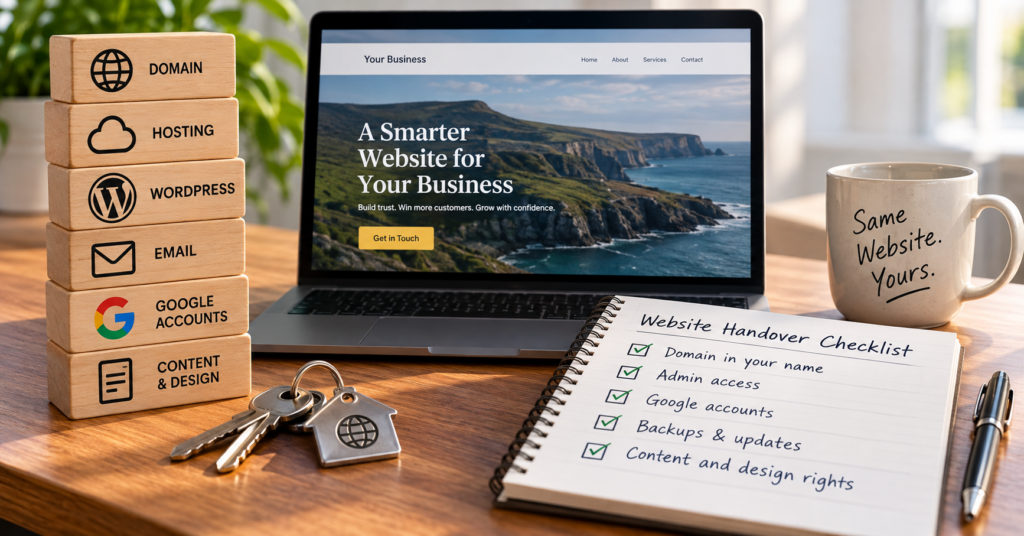
Your new website is live. It looks good, the contact form works, and the business finally has a proper home online.
Then, a year or two later, a renewal email lands. Or the site goes down on a Tuesday afternoon. Or the person who built it has moved on and isn’t answering.
That’s usually the first time anyone asks: who owns your website, and who actually controls it?
I’d rather you ask on launch day. It takes about half an hour, and it’s far cheaper than finding out the hard way.
The short version
Some things should be in your business’s name, full stop. Other things can happily be managed for you, as long as you know who’s doing it.
| Should be yours | Can be managed for you (but you should know by whom) |
|---|---|
| The domain name (you as the registrant) | DNS settings |
| An Administrator login to WordPress | Updates to WordPress, themes and plugins |
| Owner access to your Google Business Profile, Search Console and Analytics | Backups and monitoring |
| Your text, photos and logo | Hosting (if it’s in the designer’s account, the exit terms need to be clear) |
| A written answer on who owns the design | Premium theme and plugin licences |
The rest of this article goes through each one, and what to ask.
Who owns your domain name?
Your business should be the registrant. Your web designer can be the technical contact. Those are two different roles, and the difference matters more than anything else on this list.
Almost every .ie domain is registered through an accredited registrar. Quite often the designer is the one who placed the order. That’s fine. What isn’t fine is when the designer’s name ends up as the holder of yourbusiness.ie.
Here’s why it matters. If a .ie renewal goes unpaid, the IE Domain Registry suspends the domain on day 45 after the renewal date. From that moment your website and your email stop working. It can still be paid for during the next 30 days. After that it goes into Pending Delete for five days, can’t be renewed anymore, and is then released for anyone to register. First come, first served.
So if the renewal notices go to a designer you can’t reach, there’s a clock running that you don’t know about.
What you should know, written down somewhere you can find it:
- which registrar the domain is with
- whose name is listed as the registrant
- which email address gets the renewal notices
- the renewal date
Quick check: the WHOIS lookup on weare.ie will at least tell you which registrar holds your domain. The renewal invoice usually tells you the rest.
Your email probably depends on the same domain
This one catches people out.
If your email address is [email protected], it relies on the domain and its DNS settings, even if the mailbox itself is with a completely different provider. Whoever controls DNS can, in practice, decide where your email goes.
That doesn’t mean you need to manage DNS yourself. Most business owners shouldn’t. But you should know where DNS is managed and who can change it. A website can be rebuilt in a few weeks. A lost email history and missed enquiries are harder to get back.
Who controls the hosting?
Either arrangement works. What matters is that the exit is agreed before you need it.
Some businesses buy hosting themselves. Others have it included in a care plan from their web designer. Honestly, for most small businesses the second is easier. Somebody technical keeps an eye on the server and you don’t have to.
But if the hosting sits in the designer’s account, ask these four questions up front:
- If I want to move, will you give me a full backup (files and database)?
- Is there a notice period?
- Is there a fee for the handover?
- Which parts won’t come with me, like licences or tools that belong to you?
Asking doesn’t mean you expect things to go wrong. It means nobody has to negotiate in a hurry later.
One more thing, and it’s easy to miss. If your website collects personal data, and a contact form does, whoever hosts it is processing that data on your behalf. Under GDPR that relationship should be covered by a written data processing agreement. A decent provider will have one ready. If they’ve never heard of it, that tells you something.
Do you actually own the design?
Probably not automatically. A lot of people are surprised by this.
Under Irish copyright law, the person who creates a work is generally the first owner of the copyright. Paying for it doesn’t change that on its own. A transfer of copyright (an “assignment”) has to be in writing and signed by the person giving it up.
In practice it splits roughly like this:
- Your content: the text you wrote, your photos, your logo. Yours.
- WordPress itself: open-source software. Nobody owns it in a way that can lock you in.
- Premium themes and plugins: licensed, not owned. More on that below.
- Custom design and custom code: this is the grey area. It depends on what your agreement says.
For most small business sites this never becomes a problem, because the designer is happy for you to keep using what you paid for. But “happy to” isn’t the same as “agreed in writing”. One sentence in the quote or contract settles it. Either the custom work is assigned to you, or you get a clear, permanent licence to use and modify it.
I’m not a solicitor, and if your site involves a lot of bespoke development, it’s worth getting proper advice. For a standard WordPress build, just make sure the question is answered before you pay the final invoice.
Who has WordPress administrator access?
At least one Administrator account should belong to the business, tied to a business email address.
Not Editor. Not Author. Administrator is the only role that can add or remove users, and that includes removing the designer if you ever need to.
That doesn’t mean you should be poking around in the settings. Keeping the number of admin accounts small is good practice. Your designer will have their own login. Ideally nobody shares a login with anyone.
The point is simple. Two years from now, “nobody knows the password and the person who built it is gone” shouldn’t be a possible outcome.
The Google accounts nobody thinks about
This section is missing from most handover checklists, and it’s where I see the messiest situations.
During a build, the designer often sets up:
- Google Search Console, so the site gets indexed and errors show up
- Google Analytics, so you can see visitors
- sometimes the Google Business Profile as well
If these were created under the designer’s Google account, they effectively belong to the designer. Your history, your reviews, your search data.
The fix is easy if it’s done early: your business is the owner, the designer is added as a user or manager. All three tools support that. Doing it two years later, when someone has left, is a lot more annoying.
Updates, backups and monitoring: the jobs that fall between two chairs
These three get their own section because they have the same problem. Everyone assumes someone else is doing them.
Updates. WordPress, the theme and the plugins all get updated regularly. Some fix bugs, some close security holes. If you have a care plan, updates are probably included. If you don’t, it’s probably you. “Probably” is the problem. Ask.
Backups. A backup only counts if it exists when you need it, and if someone has checked it can actually be restored. Ask how often backups run, how long they’re kept, and whether at least one copy is stored somewhere other than the same server as the website.
Monitoring. A site can look fine and still be broken. The contact form stops sending. An update breaks one page on mobile. The SSL certificate fails to renew. You won’t notice until a customer mentions it, or worse, doesn’t. So: does anyone check the site is up? Does anyone send a test enquiry through the form now and then? Or is the deal “tell us when something breaks”?
All three are legitimate setups. Being vague about which one you have is not.
Who pays for licences and subscriptions?
Many WordPress sites run on premium themes or plugins: a page builder, a forms plugin, a booking system.
Some licences belong to the designer and cover all their client sites. Others are bought in your name. That doesn’t matter much day to day. It matters a lot the day you switch provider, because the designer’s licence usually doesn’t move with you.
When a licence lapses, the plugin usually keeps working. You just stop getting updates and support. Which brings us straight back to security.
Ask for a list of every paid component, who holds the licence, and what it would cost you to buy your own.
Who makes small changes after launch?
Opening hours change. A new service. A price. A team photo.
Can you do these yourself? Are they part of a care plan? Charged per job? Any of those is fine. What causes friction is finding out after the first request.
What happens if you change web designer?
This is the question people avoid, because it feels a bit like discussing the divorce at the wedding.
Ask it anyway. A professional setup doesn’t trap you. If you move, you should be able to take the domain, the content, a full backup and the Google accounts with you. There will still be work involved, like migrating hosting, changing DNS or replacing a licence or two. That’s normal. Starting from scratch because nobody can find anything is not.
A good answer from a designer is short: “Here’s what you get, here’s the notice period, here’s what it costs.” If the answer is vague or slightly defensive, that tells you more than any portfolio.
A one-page handover record
Here’s what I’d want on a single page after launch. Not passwords (those belong in a password manager), just who, where and what.
| Item | Where / with whom | In whose name | Who looks after it |
|---|---|---|---|
| Domain | Registrar | Registrant | Renewal notices go to … |
| DNS | Managed at … | Account holder | Changes made by … |
| Provider | Account holder | Admin | |
| Hosting | Provider | Account holder | Exit terms agreed? Yes/No |
| WordPress | Admin URL | Business admin account | Other admins |
| Updates | – | – | Who, how often |
| Backups | Where stored | – | Who, how often, last restore test |
| Monitoring | – | – | Who, what’s checked |
| Search Console / Analytics / Business Profile | Owner | Users | |
| Paid licences | List | Licence holder | Renewal date |
| Design / custom code | Contract | Assigned or licensed? | – |
Fill that in once, keep it with your business documents, and update it when something changes.
Your site is already live? Do this in 15 minutes
- Find the last domain renewal invoice or email. Check whose name is on the registration.
- Log in to WordPress, go to Users, and check your role says Administrator.
- Open Search Console and Analytics and check whether your own Google account is listed as owner.
- Ask your designer or host one question: “If I needed a full backup tomorrow, how would I get it?”
If all four come back fine, good. You’re in better shape than a lot of businesses. If not, it’s usually one friendly email to fix.
Want a broader check? The Free Website Health Check takes a few minutes and shows you which areas of your site are worth looking at first.
Good support starts with knowing who does what
You don’t need to run any of this yourself. Most business owners would rather not, and that’s perfectly reasonable.
But there’s a big difference between not having to manage something and not knowing who controls it.
When I build a WordPress site through OTTA, the domain is in the client’s name, the client gets their own Administrator login, and this handover record is filled in before the final invoice.
If you’re planning a new website, or you’re not sure who holds the keys to your current one, get in touch and tell me what you’ve got.
Find our advice useful?
Add OTTA as a preferred source on Google.