
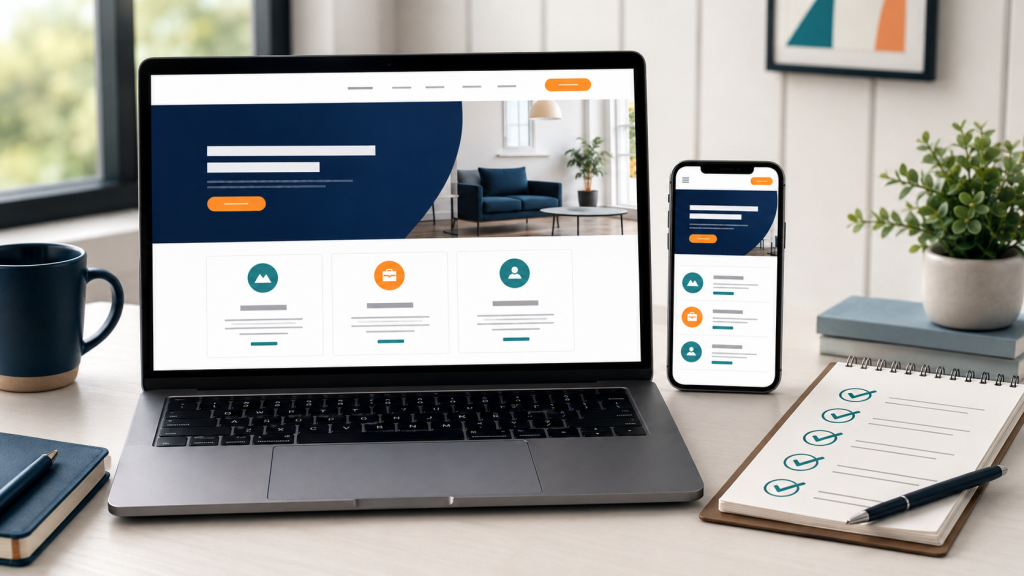
Your website often meets a customer before you do. Someone hears your name, searches for it in the evening, and within a few seconds decides whether to get in touch or move on to the next result.
That is why a small business website does not need dozens of pages or complicated features. It needs to explain what the business does, show why it can be trusted and give the right customer a clear way to make contact.
Quick answer
A practical small business website normally needs a clear home page, useful service pages, honest information about who is behind the business, a clear service area, a simple contact route, a mobile-friendly layout, suitable privacy information and a technically reliable setup.
Everything else should be added only when it supports a real business requirement.
A small business website needs a clear purpose
Before deciding on colours, animations or a website platform, the business should be able to answer one question:
What should a useful visitor do after viewing this website?
Depending on the business, the answer might be:
- Send an enquiry
- Request a quotation
- Book a service
- Visit a local business
- Buy a product
- Read enough information to make a decision later
A website without a clear purpose often becomes a collection of pages that look acceptable but do not help the customer take the next step.
1. A home page that explains the business in seconds
A visitor should understand the business within a few seconds, without searching through the entire website. A useful home page normally explains:
- What the business provides
- Who the service or product is for
- Where the business operates, when location matters
- Why the visitor should trust the business
- What the visitor should do next
A headline such as “Welcome to our website” or “Professional Services for Every Customer” uses the most important part of the page without explaining anything. Compare that with:
Simple WordPress Websites for Small Businesses in Ireland
The second version immediately tells the visitor the service, the intended customer and the market.
2. Who is behind the business
People want to know who they are dealing with, especially with a small business. The website should show the business name, the person or team behind it, where it is based, how long it has been operating and any relevant experience or qualifications.
You do not need a long corporate history. A short, honest introduction usually works better. For example:
We are a local pet care business based in Dundalk, providing pet sitting and dog walking services since 2011.
One sentence, and the visitor knows who, where and what.
3. Separate pages for important services
Avoid vague descriptions such as “we provide a wide range of professional solutions”. A potential customer wants to know exactly what they can buy.
A business with several distinct services should not hide all of them inside one long paragraph on the home page. Separate service pages make it easier for visitors to understand what is offered, and give search engines a clearer page to match to a specific customer question.
A useful service page can include:
- A clear description of the service
- Who the service is suitable for
- What is included
- Important exclusions or boundaries
- The usual process
- A clear contact or enquiry option
4. Who the service is for, and where
Not every business serves everyone. Saying clearly who you help, such as local homeowners, tradespeople, small shops, pet owners or consultants, helps the right customer recognise that the service is suitable for them. It also reduces enquiries from people who need something you do not provide.
For local businesses, the service area matters just as much: the town, nearby areas, the county, and whether you travel to customers or work remotely. For example:
We provide local pet care services in Dundalk and nearby areas of County Louth.
Clear location information is useful for customers and also helps search engines understand where the business operates.
5. Trust information
A visitor may find a business through Google without knowing anything about it beforehand. The website must give that visitor enough to decide whether the business is genuine and suitable.
Useful trust information may include:
- A clear About page and the real business or operator name
- Location or service area
- Relevant experience or qualifications
- Real photographs supplied by the business
- Customer reviews or examples of previous work
- Clear pricing where possible
- A professional email address on the business domain
- Appropriate business and privacy information
Trust does not come from large claims such as “the best service”. A few specific, verifiable details are worth more. For more on this, see what makes a small business website trustworthy.
6. A simple contact or enquiry route
Once a visitor decides to make contact, the next step should be obvious. For many small businesses, one clear contact form and one business email address are enough. Five different contact methods usually create confusion, not more enquiries.
A useful enquiry form should:
- Ask only for information needed to handle the enquiry
- Explain what happens after submission
- Use spam protection
- Include an appropriate privacy agreement
- Send submissions to a monitored business email address
It also helps to tell people what to include, for example:
Tell us what your business does, what kind of website you need and whether you already have a domain name or an existing website.
That leads to more useful enquiries and less back-and-forth.
7. A mobile-friendly layout
Many visitors will see your website on a phone first. It should work without tiny text, horizontal scrolling or buttons that are difficult to press.
Mobile checks should include:
- Readable text sizes
- Clear navigation
- Buttons that are easy to select
- Forms that fit the screen
- Images that resize correctly
- Reasonable loading performance
A desktop design that merely becomes smaller is not automatically a useful mobile website.
8. Basic search and page structure
Basic SEO starts with clarity rather than tricks. Each important page should have a clear subject and should answer the questions a suitable customer is likely to ask.
A basic website setup should normally include:
- One clear main heading per page
- Descriptive page titles
- Useful meta descriptions
- Logical page addresses
- Internal links between related pages
- Image alternative text where appropriate
- An XML sitemap
- Connection to Google Search Console when required
These steps do not guarantee a particular Google position. They give search engines a clearer and more technically usable website to evaluate.
9. Your own domain, hosting and business email
The business should control its own domain and know who controls the hosting. Otherwise the website can become dependent on a designer or agency in ways you only notice when something goes wrong. See who owns your website after launch for a simple checklist.
A business email address using the business domain also looks more established than relying on a free personal email account.
Domain registration, hosting and email are recurring services. Their costs and renewal responsibilities should be clear before a website project begins.
10. Privacy, security and maintenance basics
A website is not finished permanently on launch day. Software, forms, plugins and business information will need attention later.
The initial setup should consider:
- HTTPS
- Secure administrator access
- Backups appropriate to the website
- Spam protection on public forms
- Privacy information relevant to the website
- A plan for software and content updates
If it matters to you where your customers’ details end up, see keeping your website data in Europe. You should also understand what support is included after launch and what future maintenance will cost. See does a small business website need regular maintenance?
Should the website use HTML, WordPress or WooCommerce?
The correct platform depends on the website rather than on which system is currently popular.
HTML
Suitable for a smaller, fast website that does not need frequent customer-managed changes or an online shop.
WordPress
Suitable for editable business pages, articles, service information and websites that may need to expand later.
WooCommerce
Suitable when products or services must be sold online with a basket, checkout and payment process.
Using WooCommerce for a website that does not need online selling adds unnecessary complexity. Using a small static website for a business that needs frequent updates may create different limitations.
How many pages does a small business website need?
Usually fewer than people expect. A simple small business website may only need:
- Home
- Services (or one page per main service)
- About
- Contact
- Privacy Policy
Some businesses also need pricing, frequently asked questions, terms, booking information or a portfolio. A sole trader with one clearly defined service may need only a few strong pages. A business with several services, products or locations may need a larger structure.
Adding pages simply to make the website look larger rarely improves it. Every page should have a clear purpose.
What does a small business website not need?
A starter website does not automatically need every feature that may be useful later.
Features that should be added only for a real reason
- Complex animations
- Dozens of mostly empty pages
- An online shop when no online selling is planned
- Multiple premium plugins with overlapping functions
- A customer account system that nobody needs
- A blog without a realistic publishing plan
- Integrations that create more maintenance than value
Every additional feature creates more maintenance and more things that can break. Starting with a clear, smaller website is often better than building a large system based on features the business may never use.
A website should make running the business easier
A good website is more than an online brochure. It answers common questions before anyone picks up the phone, filters out unsuitable enquiries, builds trust while you are busy with other work, and gives you a place you control yourself, unlike social media. See do I need a website if my business already uses Facebook?
Small business website self-check
Before requesting a website proposal, check whether you can answer these questions:
Business
- What does the business provide?
- Who is the ideal customer?
- What service area matters?
Content
- Which pages are required?
- Are the text and images ready?
- Who approves the final content?
Function
- How should customers make contact?
- Is online selling or booking required?
- Who maintains the website later?
Clear answers make it easier to define the project, select the right platform and prepare an accurate quotation. For a fuller list, see what information you need for a website quote, and for costs, how much a small business website costs in Ireland, and for timing, how long it takes to build a website in Ireland.
Start with what the customer needs
The best small business websites are often the simplest. They clearly explain who the business is, what it offers, who it helps, where it operates, why it can be trusted and how to make contact.
Before adding another page, plugin or feature, ask one question: does this make it easier for the customer to understand or use the business? If the answer is no, it may not be necessary.
Need a practical small business website?
OTTA creates project-based HTML, WordPress and WooCommerce websites for small businesses and independent service providers. Each project is reviewed individually before a written proposal is prepared.
If you already have a website and only need a structured improvement review, the Small Website Improvement Review remains available separately.
Find our advice useful?
Add OTTA as a preferred source on Google.